Customer portal
Your customers follow the car from their phone.
Customers check themselves in, watch their vehicle move through the shop, see the inspection with photos and approve services, all from a link you text them. No app to download and no password to forget.
Everything arrives by text.
Each step is a short text or email with a private link. Customers tap it and they're there.
- Check in
- Live status
- Inspection results
- Approve services
Check themselves in
New and returning customers check in from their phone when they book or when they pull in: their details, the vehicle and what's wrong with it. Your counter skips the clipboard.
- Scan a QR code at the counter or tap a link
- New customers add their own details and vehicle
- The concern lands on the work order, ready to go
See the progress of their vehicle
From checked in to inspected to ready for pickup, customers see where their car is without calling the shop.
- Live status as your team moves the work order
- A text when it's ready to pick up
- Fewer "is it done yet?" calls
See the inspection results
Every finding with its rating and photos, in plain words, so customers can see why the work matters.
- Good, soon and now, color coded
- Photos and notes from the technician
- Sent with the estimate
Approve services
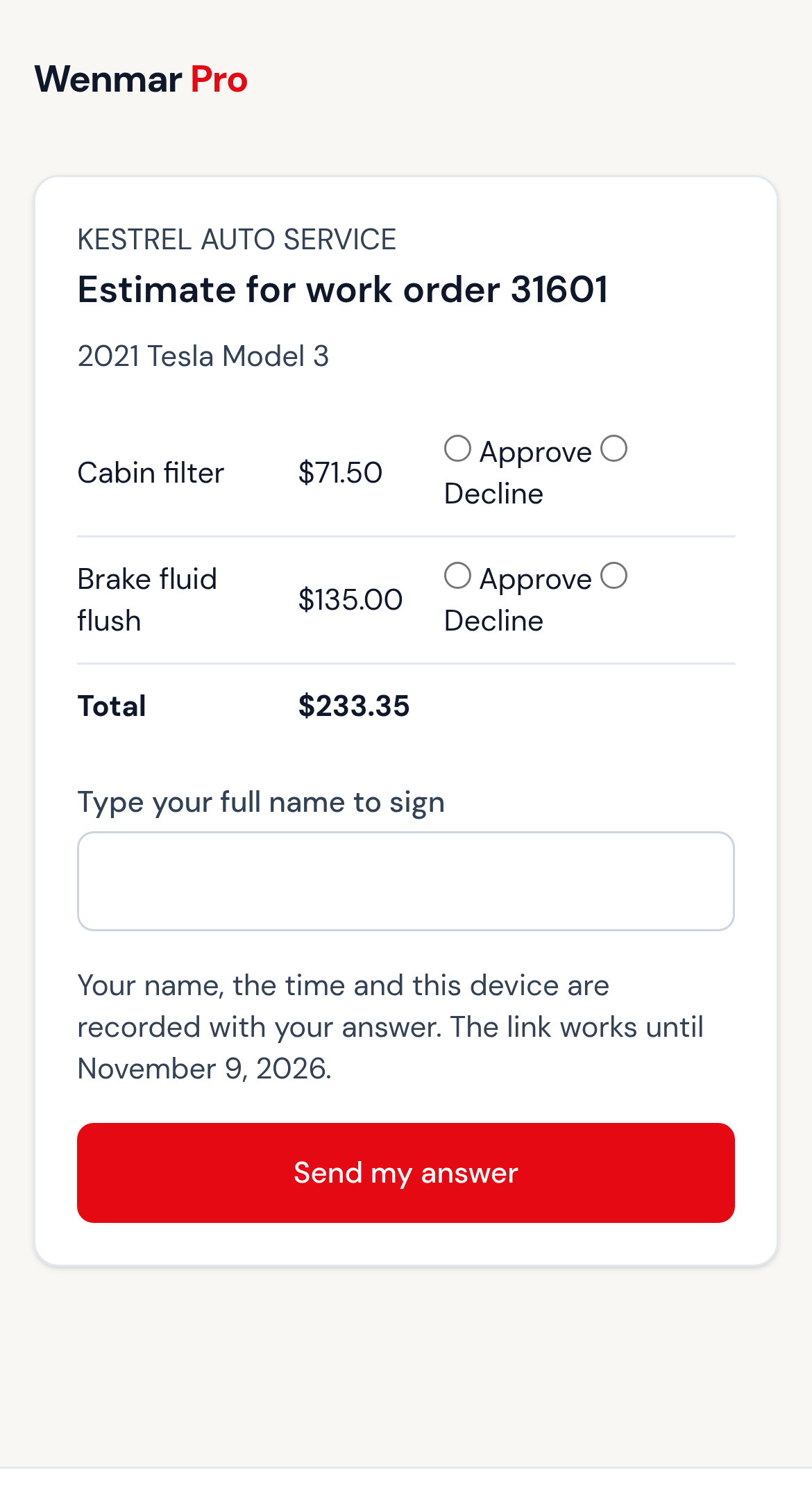
Customers approve or decline each service on the estimate and sign with their name. The approval lands on the work order with the time and the price.
- Approve or decline each service separately
- Signed with their full name
- Your team sees it right away
No app. No password.
Works in any phone's browser
iPhone or Android, the link opens in the browser they already have.
Private links
Each link belongs to one customer and one visit, and expires when it's no longer needed.
Questions come to you
Replies go to your shared inbox, next to the work order they're about.
FAQ
Customer portal questions
Do my customers need to download an app?
Do customers need an account or a password?
Can a customer approve some services and decline others?
Will the portal text customers without asking?
Let your customers follow along.
Book a demo and we'll show the portal with your own shop's workflow.
$100/month after 3 free months. All features included. No credit card to start. See pricing details.